
PON access · ONU / ONT
GPON / XPON ONU & ONT
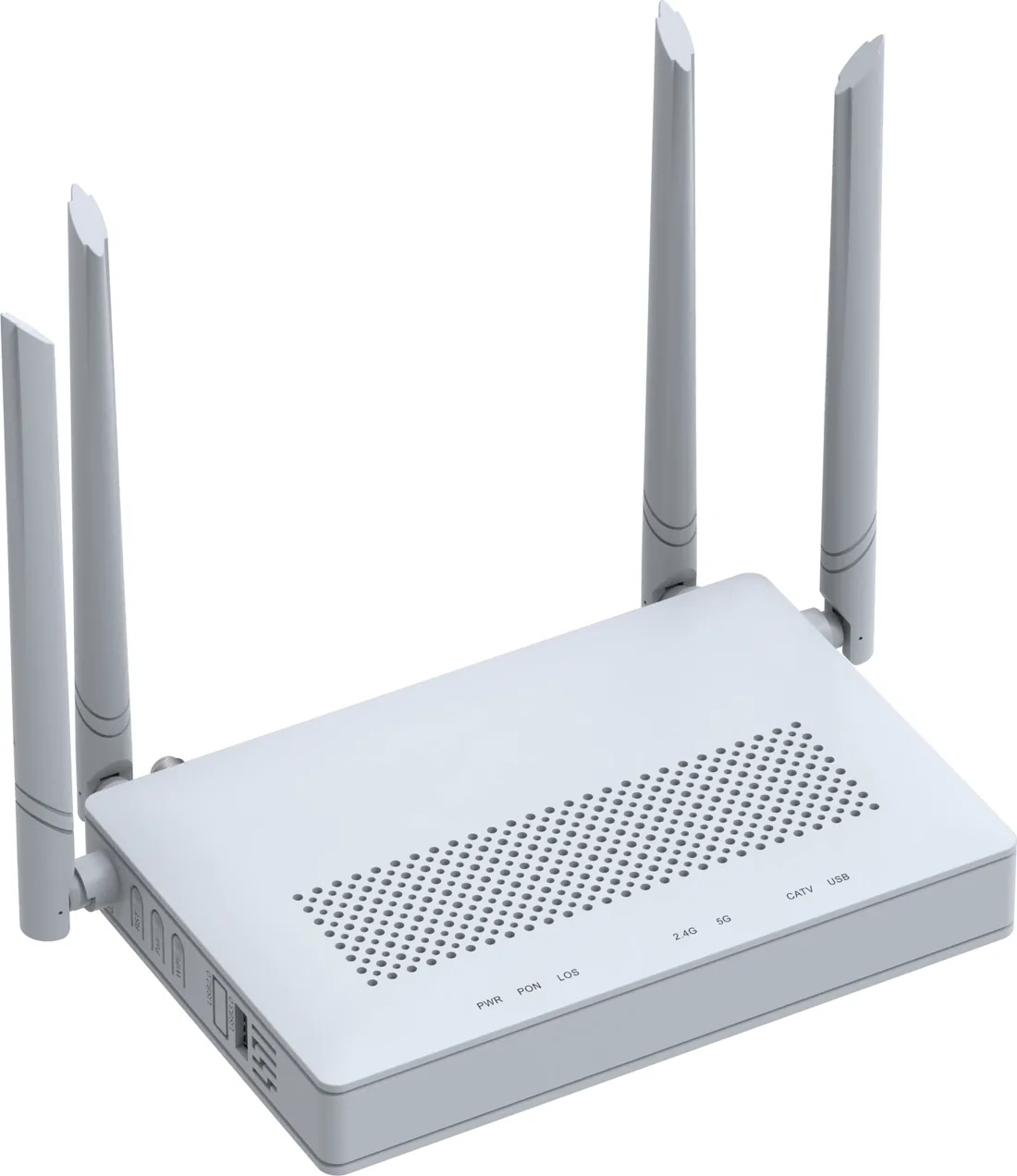
XPON ONU and ONT options for FTTH, hotel rooms, offices and outdoor cabinets: 1, 2 or 4 GE ports, Wi-Fi 4/5/6, CATV and POTS options, and 10G PON models. All units are SC single-mode, 20 km, EPON/GPON dual-mode where the model supports it.
Updated October 24, 2026
- PON
- XPON, EPON/GPON
- User ports
- 1 – 4 × GE
- Wi-Fi
- Wi-Fi 4 / 5 / 6
- Reach
- 20 km
The short answer
What this product is specified for.
Included in the quotation
- Port count, connector polish and power configuration
- Model-level datasheet and test data
- Optical budget and splitter plan for the ODN
- Export packing, HS code and Incoterm
The ONU is where the optical budget becomes a service. Choose the wrong port count or Wi-Fi generation and the subscriber gets a working link with the wrong experience: a 4K TV stutters on a 1-GE bridge, a hotel room needs POTS and CATV on the same desk, or a corridor AP needs PoE rather than a local socket. This range covers those cases with 1, 2 and 4 GE models, Wi-Fi 4/5/6, CATV and POTS options, and 10G PON units for high-value subscribers.
Optical performance is consistent across the family. A typical XPON port works on EPON PX20+ and GPON Class B+, with 0 to +4 dBm transmit power, −27 dBm receiver sensitivity and 20 km reach. EPON overload is −3 dBm; GPON overload is −8 dBm. Connectors are SC/UPC or SC/APC depending on the model, so the patch cord and ODF adapter must be ordered to match. The 4-GE Wi-Fi 6 model adds a 1.5 Gbps dual-band radio, four 5 dBi antennas, WPA3, OFDMA, MU-MIMO and EasyMesh.
CATV models receive 1550 ± 10 nm over a +2 to −18 dBm input range and deliver 47–1000 MHz at 75 Ω with AGC, so the RF level stays usable as the optical input drifts. Management runs over OAM/OMCI, TR-069, web and Telnet; IPv4/IPv6, VLAN, IGMP snooping, NAT and a basic firewall are built in. For a hotel or MDU, order one model family across all rooms so the ONU profile, remote management and spare-parts list stay simple.
Configuration table
The numbers that decide the fit.
Values are from the model datasheet. Where a value is model-dependent, the table says so instead of guessing.
| Configuration | PON | User ports | Wireless | Typical use |
|---|---|---|---|---|
| Bridge ONU | 1× XPON | 1× GE | — | Camera, meter, single-service drop |
| Bridge ONU with fibre tray | 1× XPON | 1× GE | — | Wall box, corridor, tight cabinet |
| Wi-Fi 4 gateway | 1× XPON | 1× GE + 1× FE | 2.4 GHz | Basic room or shop |
| Wi-Fi 5 gateway | 1× XPON | 2× GE | Dual-band 1.167 Gbps | Apartment, small office |
| Wi-Fi 5 gateway + CATV | 1× XPON | 4× GE + USB 3.0 | Dual-band 1.167 Gbps | Hotel room, triple-play |
| Wi-Fi 6 gateway AX1500 | 1× XPON | 4× GE + USB 3.0 | Dual-band 1.5 Gbps | Hotel, office, home office |
| Wi-Fi 6 gateway AX3000 | 1× XPON | 4× GE + USB 3.0 | Dual-band 3 Gbps | High-density room or small hall |
| 10G PON gateway | 10G EPON / XG(S)-PON | 1× 10GE + 1× 2.5GE + 3× GE | Wi-Fi 6 AX3000 | Premium FTTH, business subscriber |
CATV and POTS are options on selected models. Confirm the exact port mix, connector polish and power adapter on the quotation.
Engineering features
What changes on site.
Wi-Fi 6 where it matters
AX1500 and AX3000 models use 2×2 dual-band radios, OFDMA and MU-MIMO. In a hotel room the second radio matters more than a bigger antenna number.
One fibre, three services
Data, voice and CATV can terminate on one ONT. The CATV port is 1550 nm with AGC; POTS is optional and needs the voice profile on the OLT.
Routing or bridge
Use router mode for a room or shop, bridge mode behind a customer router, or a fixed IP profile for a camera. The mode is set from the OLT/ACS, not locally.
Remote management
OAM/OMCI, TR-069, web and Telnet cover provisioning, firmware upgrade, Wi-Fi SSID changes and fault diagnosis without a truck roll.
IPv6 and firewall
IPv4/IPv6 dual stack, DHCP/PPPoE/static IP, NAT, DMZ, ACL and URL/MAC filtering are available on the gateway models.
Room to cabinet
The 4-GE Wi-Fi 6 unit runs from −10 to +55 °C at 5–95% RH, so the same family can sit in a ventilated cabinet as well as a living room.
Selection guide
Which configuration fits which site.
Start from the site, not from the model. The table is a starting point; the final check is the optical and power budget.
| Deployment | Recommended ONU | Why |
|---|---|---|
| Hotel guest room | Wi-Fi 6 AX1500 / AX3000 + CATV option | One box for data, TV and voice; EasyMesh for corridor roaming |
| Apartment / home office | Wi-Fi 6 AX1500, 4× GE | Enough LAN ports for TV, console and desk; Wi-Fi 6 for phones |
| CCTV pole or cabinet | 1-GE bridge, no Wi-Fi | Lower cost, lower heat, no radio to manage |
| Small office | Wi-Fi 6 AX3000, 4× GE | More concurrent clients and a 2.5G/10G option for the uplink |
| Premium FTTH | 10G PON gateway | 10GE LAN and Wi-Fi 6 for multi-gigabit packages |
Match the ONU PON mode to the OLT. An XPON ONU can usually run EPON or GPON, but the profile and firmware must be set for the headend in use.
Integration
Where it sits in the chain.
The PON chain starts at the OLT port, passes through the splitter and the ODN, and ends at the ONU. The split ratio and the connector count decide the optical margin.
- One bill of materials for the whole chain
- Connector polish and PON mode confirmed before order
- Model-level test data supplied with the shipment
Related equipment
Complete the chain.
The product is quoted as part of a chain. These are the parts that usually travel with it.
PON access · OLT
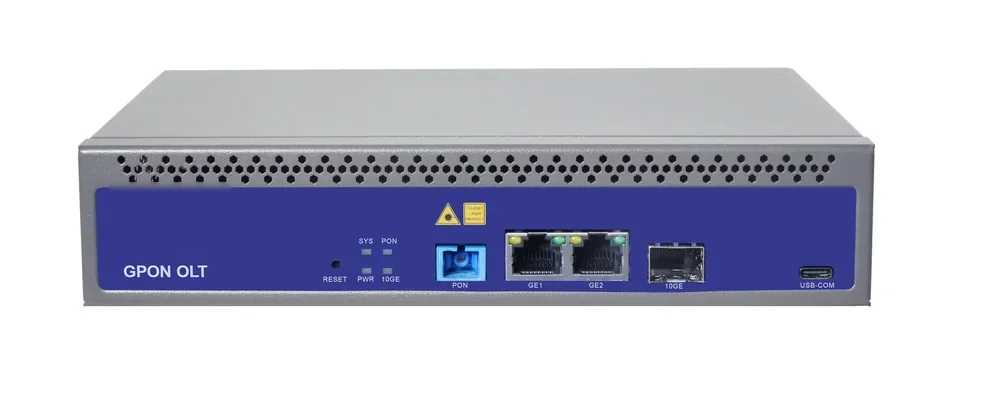
GPON OLT
From a 1-PON gateway to a 112-PON headend.
GPON OLT platforms for FTTH, campus and hotel access: 2.5 Gbps downstream and 1.25 Gbps upstream, 1:64 split per PON port and 20 km reach on Class B+ optics. Configurations run from a compact 1-PON gateway with built-in AC to a chassis with up to 112 PON ports.
- Line rate
- 2.5 Gbps ↓ / 1.25 Gbps ↑
- Max split
- 1:64 per PON port
- Reach
- 20 km, Class B+
- PON ports
- 1 – 112
Best for FTTH Access Network · Campus Fibre Network · Outdoor Wireless Coverage
View specifications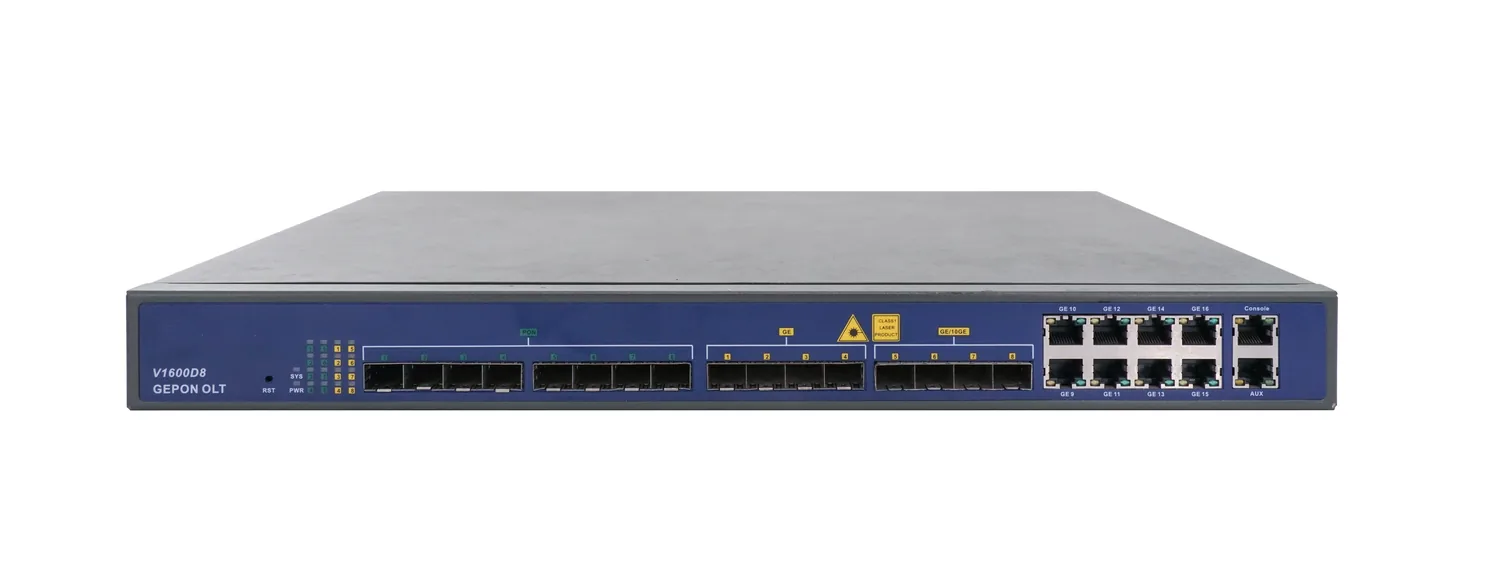
PON access · OLT
8-Port EPON OLT
1U, eight EPON ports, up to 512 ONUs.
A 1U EPON OLT with eight PON ports, 16 uplink ports and a 128 Gbps backplane. It supports 1:64 splitting, 20 km reach and up to 512 ONUs, making it a compact headend for CCTV, campus and small FTTH networks.
- PON ports
- 8 × EPON
- Line rate
- 1.25 Gbps symmetric
- Max ONUs
- 512 (64 per port)
- Backplane
- 128 Gbps
Best for CCTV & Surveillance Power · Campus Fibre Network · FTTH Access Network
View specifications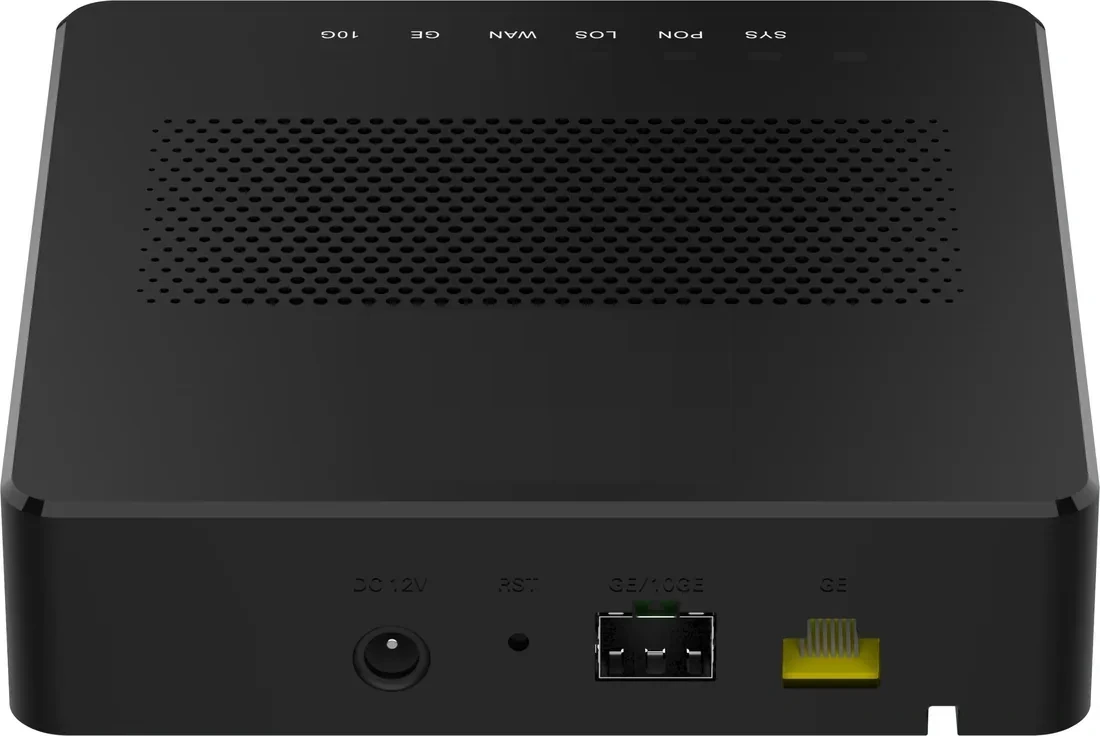
PON access · PoE ONU
PoE ONU & Reverse PoE
Power the ONU from the LAN, or the LAN from the ONU.
PoE ONU variants for corridors, rooms and MDUs: reverse-PoE (PD) units powered by a PoE switch, PSE units that power cameras and APs, and 4/8/24-port models for floor distribution. One XPON uplink, up to 24 PoE outputs.
- Uplink
- XPON / 10G PON
- PoE ports
- 1 – 24
- Modes
- PSE / PD
- Power
- 802.3af/at
Best for CCTV & Surveillance Power · Campus Fibre Network · Outdoor Wireless Coverage
View specifications
PON access · ODN
Fiber Optic Splitter (PLC)
1×2 to 1×64, SC/UPC or SC/APC.
Planar lightwave circuit splitters from 1×2 to 1×64 for PON ODN construction. Typical insertion loss runs from 3.6 dB at 1×2 to 20.5 dB at 1×64; each batch ships with test data and the connector polish you specify.
- Ratios
- 1×2 – 1×64
- Wavelength
- 1260 – 1650 nm
- Insertion loss
- 3.6 – 20.5 dB
- Connector
- SC/UPC / SC/APC
Best for FTTH Access Network · Campus Fibre Network · CCTV & Surveillance Power
View specificationsProduct FAQ
GPON / XPON ONU & ONT: questions before the order.
If your question is not here, send the site details and we will answer with the calculation, not a brochure.
Ask an engineerWhat is the difference between ONU and ONT?
In practice the terms are used interchangeably. ONT (optical network terminal) usually means the subscriber-side unit that terminates the PON; ONU (optical network unit) is the broader term. Both appear in this range.
Can one ONU provide data, voice and CATV?
Yes on models with a CATV port and an optional POTS port. The CATV signal must be combined onto the ODN at the headend with a 1550 nm transmitter/EDFA and a WDM coupler; the OLT does not generate it.
Do I need SC/UPC or SC/APC?
It depends on the model and the ODF. The 4-GE Wi-Fi 6 unit uses SC/UPC; some CATV models use SC/APC. Keep one polish type across the ODN or use hybrid patch cords, and state the type on the order.
How many ONUs can share a 1:64 splitter?
Up to 64, but the optical budget and the OLT port count are the real limits. For a 20 km span, 1:32 is a safer split; for a short building ODN, 1:64 is normal.
Can the ONU be powered over the LAN?
Only the reverse-PoE (PD) models. Standard ONUs need a DC 12 V adapter. If there is no mains at the ceiling or pole, use a PoF ONU or a reverse-PoE ONU fed by a PoE switch.
Is the Wi-Fi 6 model compatible with Wi-Fi 5 clients?
Yes. Wi-Fi 6 is backward compatible with 802.11a/b/g/n/ac clients. The AX3000 model also supports EasyMesh for multiple APs, but mesh units must be from the same management ecosystem.
What firmware and management system is used?
The ONUs support OAM/OMCI and TR-069 and are managed from the OLT or an ACS. Firmware and the management profile are confirmed with the model datasheet at quotation.
Next step
Need a GPON / XPON ONU & ONT configuration checked?
Send the endpoint count, the longest run, the power condition and the destination. We reply with the configuration, the optical/power budget and the quotation assumptions.
No obligation. The plan states its assumptions so your engineer can check it.