
Application · security
CCTV & Surveillance Power
CCTV is the strongest demand signal in this category, and most of the hard cases are power cases: a pole with no mains, a run over 100 m, a lightning-prone copper path. This page compares PoE, PoE extenders and PoF for camera groups and gives a bill of materials for a typical 24-camera site.
Updated October 24, 2026
- Copper limit
- 100 m
- PoF limit
- 200 m
- PoF power
- 12 W / port
- PON reach
- 20 km
The engineering problem
Why the obvious answer fails.
The endpoint is small; the distance, the power and the environment are not. Three paragraphs explain where the design usually breaks.
A CCTV project fails at the last 50 m, not at the recorder. The standard PoE channel is 100 m; a camera at the far gate, the back fence or the far end of a warehouse bay is often 130–300 m from the nearest powered cabinet. The usual answers are a mid-span extender, a local mains spur or a fibre link. Each has a different cost and a different failure mode.
The second failure is power quality. A copper Ethernet run from the building to a pole brings both data and a surge path. A nearby strike couples into the copper, and the camera, the switch port or both fail. Fibre removes the metallic path; the camera still needs power, which is exactly the gap PoF fills.
The third is the camera load. A fixed dome draws 6–12 W; a PTZ with a heater can draw 25–60 W. A 24-port PoE switch with a 370 W budget cannot run 24 heated PTZs. The load list, not the port count, decides the power architecture.
Path comparison
Four paths, one decision.
The correct path is the one that matches the endpoint power, the distance and the presence of mains. Do not compare only on cable price.
| Path | Reach | Power at the endpoint | Mains at endpoint | Best for | Limits |
|---|---|---|---|---|---|
| Copper PoE | 100 m channel | 15.4 / 30 W at the source (af / at) | Required for the switch | Devices within 100 m of a powered cabinet | Cable loss, surge path, no reach beyond 100 m |
| PoE extender | 200 – 500 m with hops | Reduced at each hop | Required at every extender | Retrofit where a mid-point has power | Another powered box outdoors; still copper |
| Power over Fiber | Up to 200 m per port | Up to 12 W per port | Not required | Ceiling APs, pole cameras, readers, sensors | 12 W per port, hybrid cable, 200 m limit |
| Fibre + local PoE switch | 20 km PON backhaul | Local switch budget | Required at the local cabinet | Cabinets, buildings, dense clusters | Needs a powered cabinet and a switch |
The correct path is the one that matches the endpoint power, the distance and the presence of mains. Do not compare only on cable price.
Design approach
How we lay it out.
Start with the load list
List every camera: fixed or PTZ, watts nominal, watts peak with heater, mounting height, distance to the nearest cabinet and whether mains is present. That table decides the path before any product is chosen.
Use PoE where it fits
Fixed cameras within 100 m of a powered cabinet are cheapest on a PoE switch. Use 802.3at for PTZ and heaters, and keep the total load under 70% of the switch budget.
Move to PoF or fibre beyond it
At a pole or ceiling with no mains, a PoF drop gives data and up to 12 W over one hybrid cable to 200 m. For a cluster of cameras or a higher load, run fibre to a local PoE switch in a cabinet.
Bill of materials
A starting BOM.
Quantities follow the endpoint count and the number of cabinets. Adjust after the site survey.
| Item | Specification | Quantity basis |
|---|---|---|
| OLT | 8-port EPON or GPON, 1:64 max split | 1 per headend / building group |
| PoE switch | 24-port PoE, budget ≥ 1.3 × camera load | 1 per floor or cabinet |
| PoF splitter | 1×9, 8 outputs, 12 W per port | 1 per 8 PoF cameras/APs |
| Hybrid PoF cable | G.657A2 + copper, 20/50 m | 1 per PoF endpoint + 10% spare |
| PoF ONU / media converter | 1× XPON PoE + 1× GE | 1 per PoF camera group |
| Surge protection | SPD at cabinet entry, per local code | 1 per outdoor cabinet |
Quantities are for a 24-camera site with 8 PoF endpoints, 8 PoE cameras and 8 cameras on a local switch. Adjust to the load list.
Numbers to check
The design rules.
| Design rule | Value to confirm |
|---|---|
| Copper limit | 100 m channel, including patch cords |
| PoF limit | 200 m per port, 12 W per port |
| Fixed camera load | 6 – 12 W |
| PTZ with heater | 25 – 60 W; check the switch budget |
| Budget headroom | Keep total PoE load ≤ 70% of the switch budget |
| Optical budget | 1:64 split ≈ 20.5 dB; add 3 dB ageing margin |
Recommended equipment
What this design usually uses.
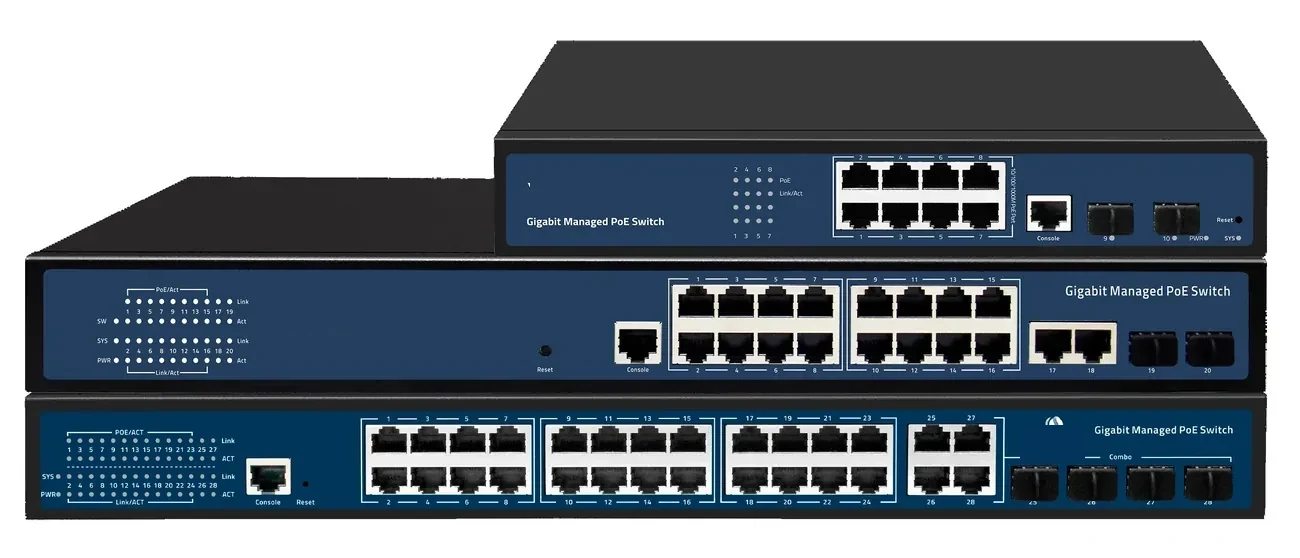
PoE switching · managed & unmanaged
PoE Switches
8 to 48 PoE ports, with 10G and 100G uplinks.
PoE switch families from compact 4–8 port units to 48-port Layer 3 switches with 100G uplinks. IEEE 802.3af/at power, VLAN and IGMP isolation, and a 100 m copper limit that decides where the fibre has to take over.
- Ports
- 4 – 48 × GE PoE
- Uplinks
- GE / 10G / 100G
- Power
- 802.3af / at
- Distance
- 100 m copper
Best for CCTV & Surveillance Power · Parking Lot Camera System · Perimeter Security Power
View specifications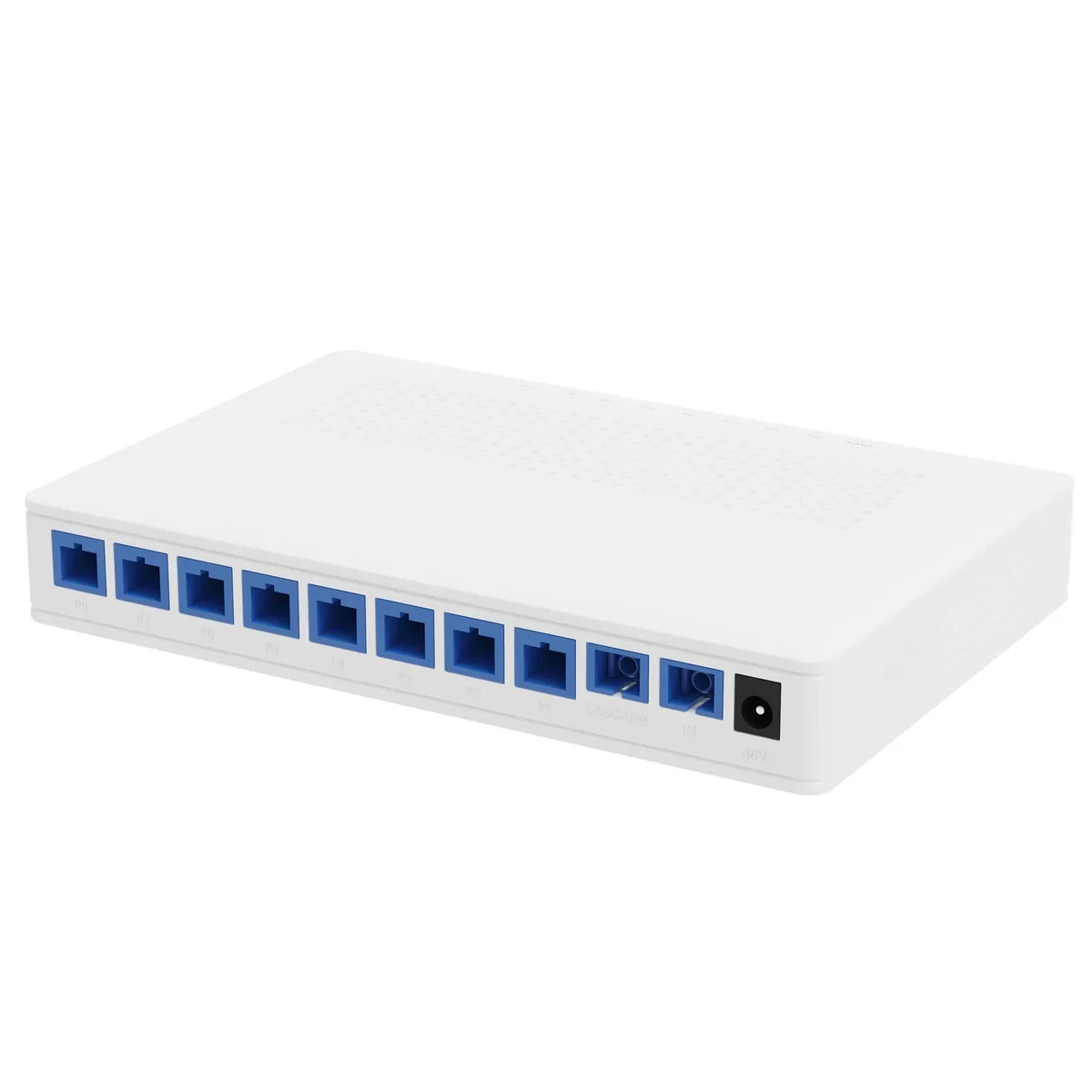
Power over Fiber · access
PoF Switch & PoF ONU
One hybrid cable to the ceiling: data and 12 W.
A Power-over-Fiber access set: an optical gateway, an 8-output PoF power splitter, hybrid PoF cable and a ceiling Wi-Fi 6 ONU. Each output delivers up to 12 W to 200 m, so ceiling APs and cameras run without a local mains socket.
- Power per port
- Up to 12 W
- Reach
- Up to 200 m
- Outputs
- 8 + 1 cascade
- Wi-Fi
- Wi-Fi 6 AX3000
Best for Outdoor Wireless Coverage · Campus Fibre Network · Parking Lot Camera System
View specifications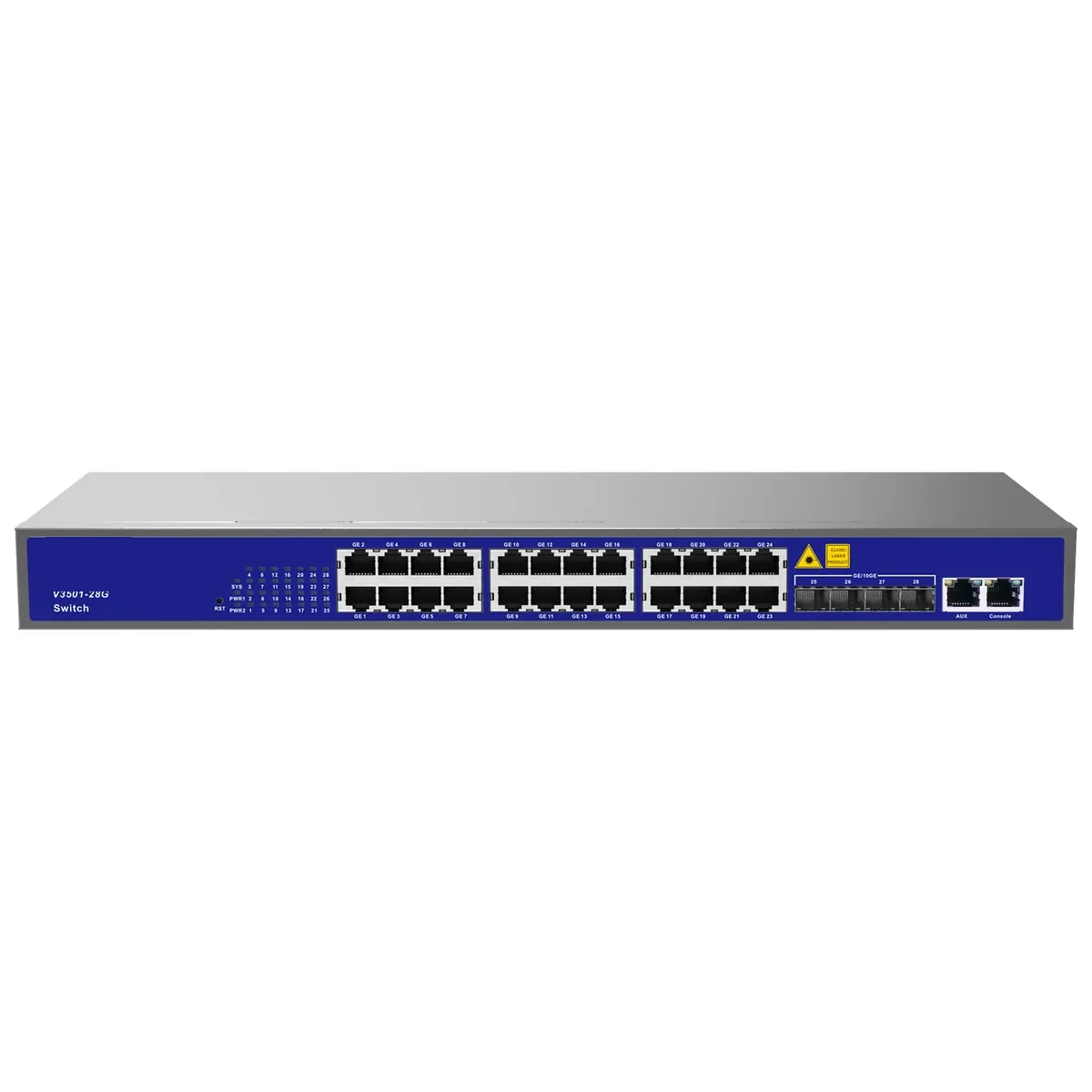
PoE switching · compact
8-Port PoE Switch
Small-count PoE for poles, kiosks and shops.
Compact 4- and 8-port PoE switches for small camera groups, wireless APs and access control. Fanless, desktop or wall mounted, with 802.3af/at power and a GE or SFP uplink.
- Ports
- 4 or 8 × GE PoE
- Power
- 802.3af / at
- Cooling
- Fanless
- Mount
- Desktop / wall
Best for CCTV & Surveillance Power · Parking Lot Camera System · Bollard & Access Control Power
View specifications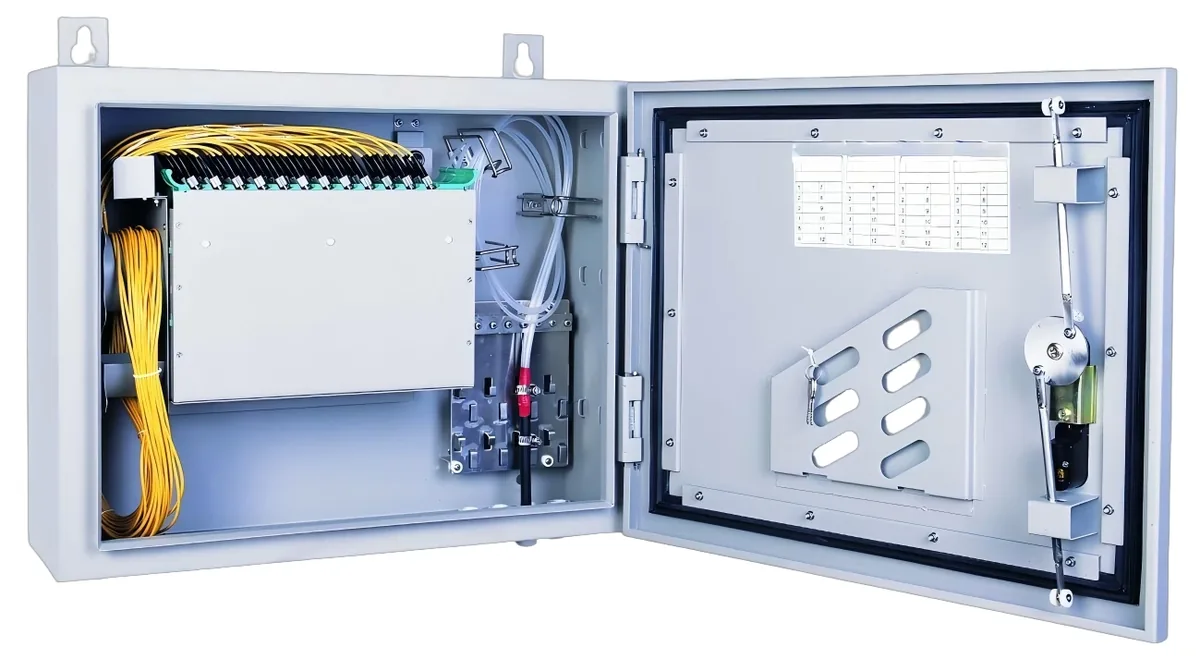
PON access · ODN
Fiber Optic Splitter (PLC)
1×2 to 1×64, SC/UPC or SC/APC.
Planar lightwave circuit splitters from 1×2 to 1×64 for PON ODN construction. Typical insertion loss runs from 3.6 dB at 1×2 to 20.5 dB at 1×64; each batch ships with test data and the connector polish you specify.
- Ratios
- 1×2 – 1×64
- Wavelength
- 1260 – 1650 nm
- Insertion loss
- 3.6 – 20.5 dB
- Connector
- SC/UPC / SC/APC
Best for FTTH Access Network · Campus Fibre Network · CCTV & Surveillance Power
View specificationsApplication FAQ
CCTV & Surveillance Power: site questions.
If your question is not here, send the site details and we will answer with the calculation, not a brochure.
Ask an engineerCan I run a camera 200 m on PoE?
No, not on standard copper Ethernet. The 100 m limit is part of IEEE 802.3. You can use a PoE extender (200–500 m with hops, but it needs power at the mid-point), a fibre link with a local PoE switch, or a PoF drop where the load is within 12 W.
How many cameras can one PoF splitter power?
Eight, one per output, at up to 12 W each. A second splitter on the cascade port takes it to 16. The total load must stay within the 120 W supply and the voltage-drop limit of the cable.
What camera load can a 24-port PoE switch carry?
Look at the total budget, not the per-port rating. A 370 W budget can run about 24 cameras at 12 W with headroom; 24 PTZ cameras at 30 W need 720 W and a different switch.
Does fibre remove the need for surge protection?
Fibre removes the metallic data path, but the camera still has a power input and a local ground. Use a PoF or local supply with a surge protective device at the cabinet entry, and bond the camera housing to the local earth.
What is the best camera power for a perimeter pole?
If the load is under 12 W and the run is under 200 m, PoF over hybrid cable. If the pole needs a heater or a PTZ, run fibre to a small industrial PoE switch in a cabinet, or bring a local mains feed.
Can I mix PoE and PoF cameras on one site?
Yes. Keep the power domains separate: a PoE switch for the copper group and a PoF splitter for the no-mains group. Both can uplink to the same OLT or core switch.
Next step
Planning CCTV & Surveillance Power?
Send the device list, the longest run, the mains condition and the country. We return the path, the BOM and the budget assumptions.
No obligation. The plan states its assumptions so your engineer can check it.