
Application · education
Classroom All-Optical
A fibre-to-the-classroom design for schools, training centres and campus buildings: a PON backbone, one ONT/AP per classroom, PoE for cameras and access points, PoF for ceiling devices without mains, per-classroom VLANs and central management.
Updated October 24, 2026
- Copper limit
- 100 m
- PoF limit
- 200 m
- PoF power
- 12 W / port
- PON reach
- 20 km
The engineering problem
Why the obvious answer fails.
The endpoint is small; the distance, the power and the environment are not. Three paragraphs explain where the design usually breaks.
A classroom now carries interactive displays, teacher and student devices, cameras, access control and sometimes a local AP. The device count per room is small, but the number of rooms is large, and the network must be simple enough for a small IT team to run.
Copper to every classroom hits the 100 m channel limit on long corridors and across multiple floors. Add a local switch in every room and the number of powered cabinets, UPS points and failure points grows quickly.
Ceiling devices such as APs, cameras and sensors may not have a mains socket. PoE can power them only within 100 m; PoF can extend data and up to 12 W to 200 m over a hybrid cable, which is often enough for a classroom AP or a corridor camera.
Path comparison
Four paths, one decision.
The correct path is the one that matches the endpoint power, the distance and the presence of mains. Do not compare only on cable price.
| Path | Reach | Power at the endpoint | Mains at endpoint | Best for | Limits |
|---|---|---|---|---|---|
| Copper PoE | 100 m channel | 15.4 / 30 W at the source (af / at) | Required for the switch | Devices within 100 m of a powered cabinet | Cable loss, surge path, no reach beyond 100 m |
| PoE extender | 200 – 500 m with hops | Reduced at each hop | Required at every extender | Retrofit where a mid-point has power | Another powered box outdoors; still copper |
| Power over Fiber | Up to 200 m per port | Up to 12 W per port | Not required | Ceiling APs, pole cameras, readers, sensors | 12 W per port, hybrid cable, 200 m limit |
| Fibre + local PoE switch | 20 km PON backhaul | Local switch budget | Required at the local cabinet | Cabinets, buildings, dense clusters | Needs a powered cabinet and a switch |
The correct path is the one that matches the endpoint power, the distance and the presence of mains. Do not compare only on cable price.
Design approach
How we lay it out.
PON backbone, one drop per classroom
Place the OLT in the main equipment room, split 1:32 or 1:64, and run one fibre to each classroom ONT/AP. The classroom gets Wi-Fi and GE ports without a local powered cabinet.
PoE for the copper edge
Use a PoE switch in the floor cabinet for cameras, access control and short copper runs. Keep the total load under the switch budget and use 802.3at for PTZ cameras or high-power APs.
PoF for the ceiling without mains
Where a ceiling AP or corridor camera has no mains and is 100–200 m from the cabinet, use a PoF splitter and a PoF ONU/AP. Keep each port at 12 W or less.
Per-classroom VLAN and one management view
Assign a VLAN/SSID per classroom or department, isolate student and staff traffic, and manage OLT, ONUs and APs from one platform. Batch changes at the start of term instead of visiting rooms.
Bill of materials
A starting BOM.
Quantities follow the endpoint count and the number of cabinets. Adjust after the site survey.
| Line | Typical configuration | Why it is in the BOM |
|---|---|---|
| OLT | 8–16 PON ports, 1:32/1:64, 20 km | Covers the classroom and building count |
| PLC splitter | 1:32 or 1:64, SC/UPC or SC/APC | Matches the ODN and optical budget |
| Classroom ONT/AP | Wi-Fi 6, 1–4 GE; PoE or PoF option | One per classroom or per zone |
| PoE switch | 8–24 ports, 802.3af/at | Cameras, access control and short copper runs |
| PoF splitter and cable | 8 outputs + cascade, hybrid cable | Ceiling devices without mains |
| ODF and cabling | 12–96 ports, SC/UPC or SC/APC | Terminates and labels the ODN |
| Management | OMCI/TR-069, AC/cloud, VLAN plan | Per-classroom policy and remote support |
The number of classrooms per PON port depends on the split ratio and the ONT mix. Confirm the final port and splitter plan on the quotation.
Numbers to check
The design rules.
| Design rule | Value to confirm |
|---|---|
| Classroom drop | 1 ONT/AP per classroom; 1:32 normal, 1:64 for short ODN |
| PON reach | 20 km Class B+; 3 dB ageing margin |
| PoE limit | 100 m channel including patch cords |
| PoF limit | 200 m per port, ≤12 W per AP/camera |
| Wi-Fi | Wi-Fi 6 per classroom; Wi-Fi 6/7 for halls and dense areas |
| Policy | Per-classroom VLAN/SSID; student/staff isolation |
Recommended equipment
What this design usually uses.
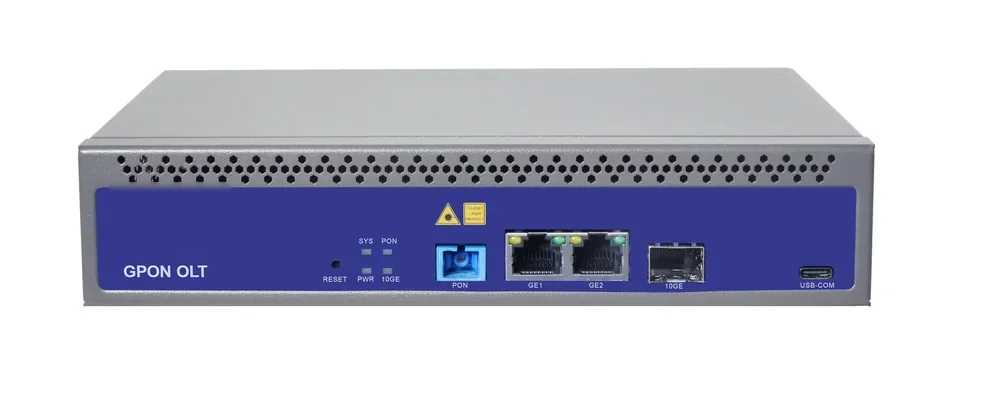
PON access · OLT
GPON OLT
From a 1-PON gateway to a 112-PON headend.
GPON OLT platforms for FTTH, campus and hotel access: 2.5 Gbps downstream and 1.25 Gbps upstream, 1:64 split per PON port and 20 km reach on Class B+ optics. Configurations run from a compact 1-PON gateway with built-in AC to a chassis with up to 112 PON ports.
- Line rate
- 2.5 Gbps ↓ / 1.25 Gbps ↑
- Max split
- 1:64 per PON port
- Reach
- 20 km, Class B+
- PON ports
- 1 – 112
Best for FTTH Access Network · Campus Fibre Network · Outdoor Wireless Coverage
View specifications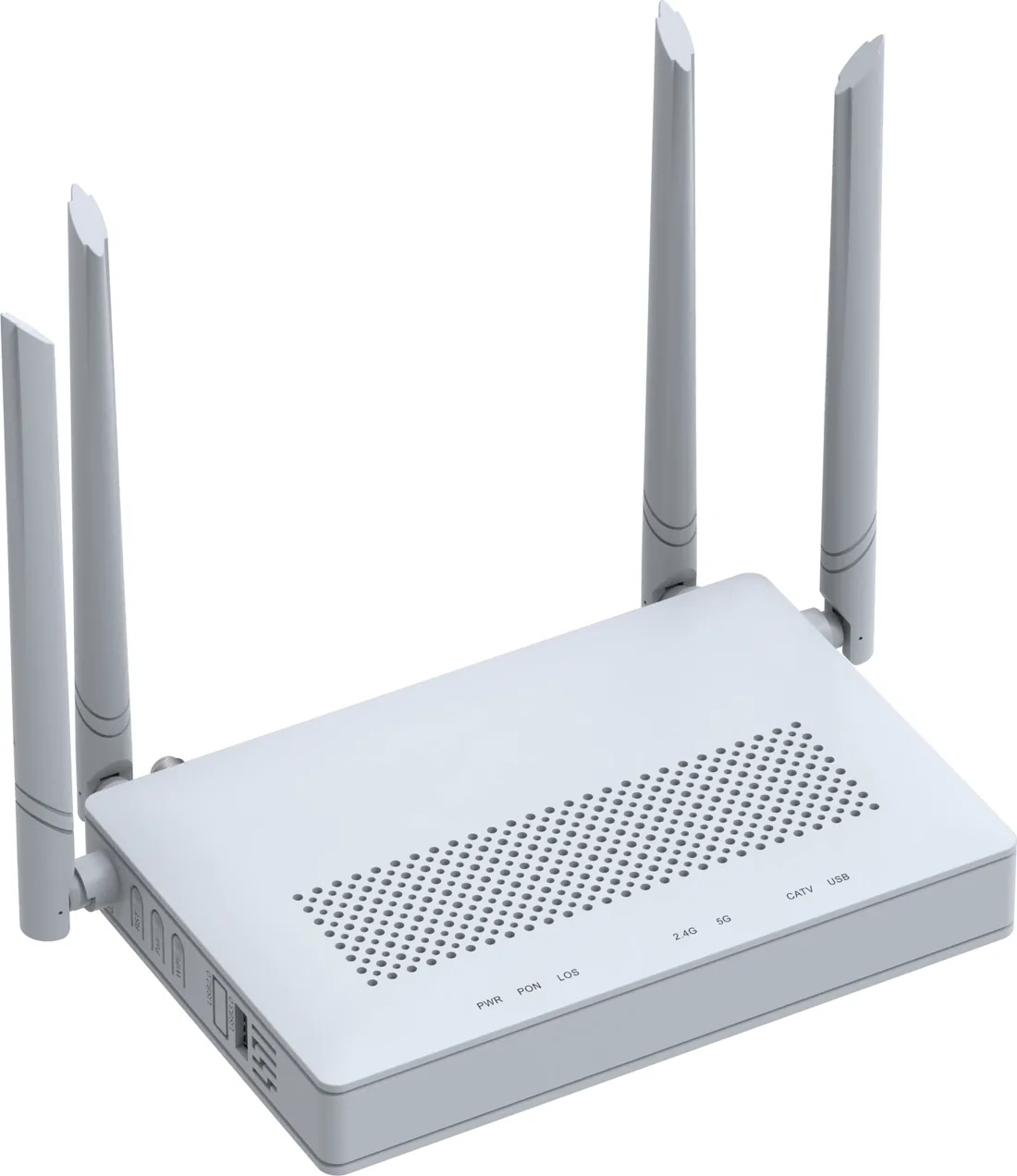
PON access · ONU / ONT
GPON / XPON ONU & ONT
From a 1-GE bridge to a 4-GE Wi-Fi 6 gateway.
XPON ONU and ONT options for FTTH, hotel rooms, offices and outdoor cabinets: 1, 2 or 4 GE ports, Wi-Fi 4/5/6, CATV and POTS options, and 10G PON models. All units are SC single-mode, 20 km, EPON/GPON dual-mode where the model supports it.
- PON
- XPON, EPON/GPON
- User ports
- 1 – 4 × GE
- Wi-Fi
- Wi-Fi 4 / 5 / 6
- Reach
- 20 km
Best for FTTH Access Network · Campus Fibre Network · Outdoor Wireless Coverage
View specifications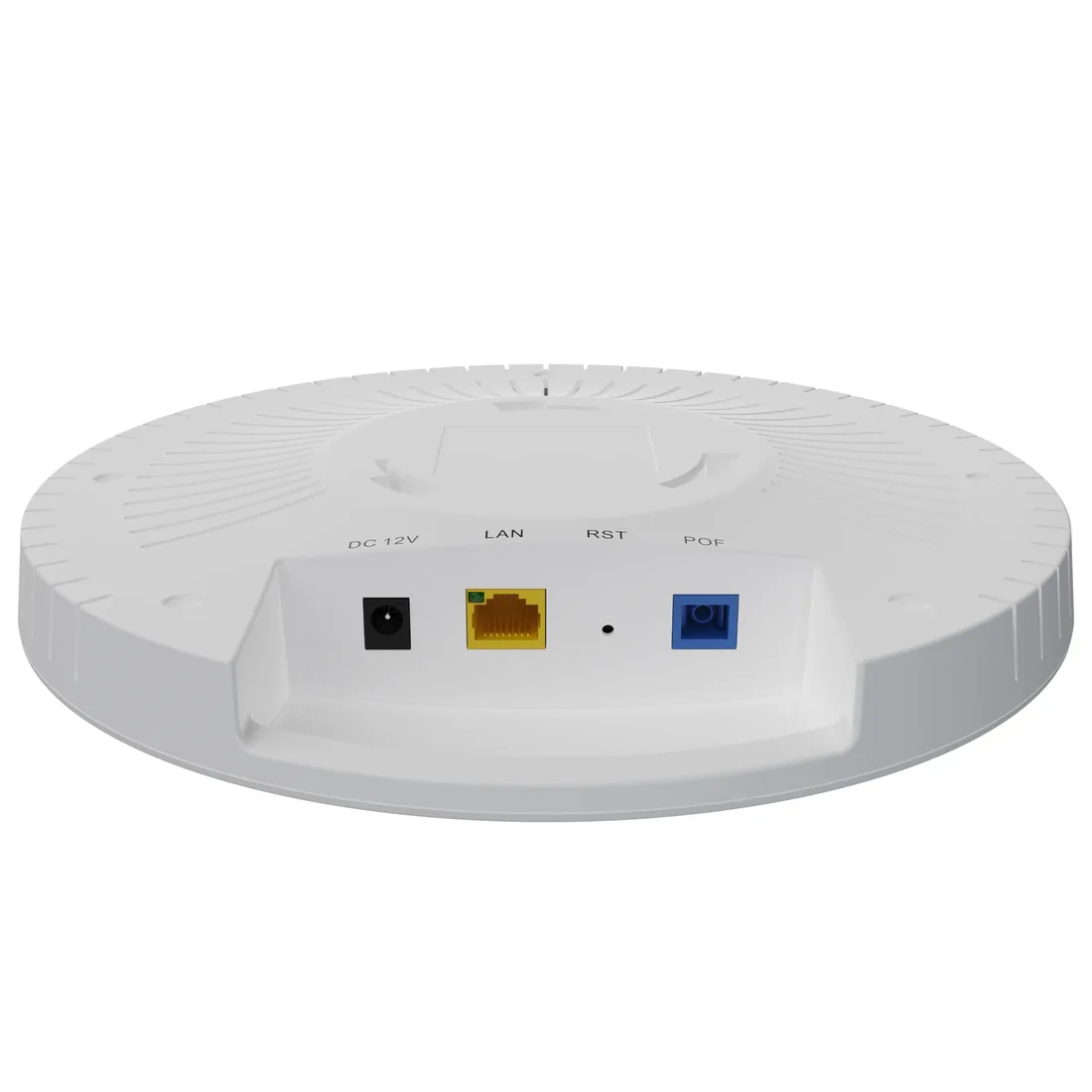
CPE & wireless · access points
Wi-Fi AP & AC
Ceiling, wall-plate and high-density APs.
Wi-Fi 6/7 access points and software AC for hotels, campuses and offices: ceiling APs with 2.5GE PoE, wall-plate APs, high-density models, PoF ceiling APs and a built-in or software AC.
- Wi-Fi
- Wi-Fi 6 / Wi-Fi 7
- Uplink
- GE / 2.5GE / PoF
- Power
- PoE / PoF
- Management
- AC / OLT
Best for Campus Fibre Network · Outdoor Wireless Coverage · FTTH Access Network
View specifications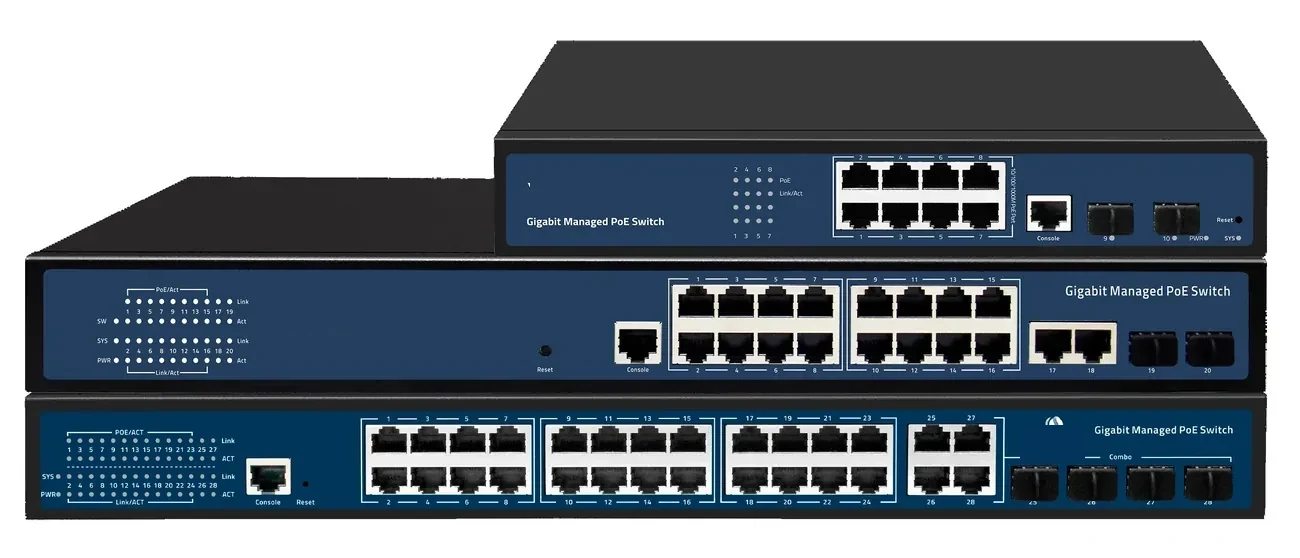
PoE switching · managed & unmanaged
PoE Switches
8 to 48 PoE ports, with 10G and 100G uplinks.
PoE switch families from compact 4–8 port units to 48-port Layer 3 switches with 100G uplinks. IEEE 802.3af/at power, VLAN and IGMP isolation, and a 100 m copper limit that decides where the fibre has to take over.
- Ports
- 4 – 48 × GE PoE
- Uplinks
- GE / 10G / 100G
- Power
- 802.3af / at
- Distance
- 100 m copper
Best for CCTV & Surveillance Power · Parking Lot Camera System · Perimeter Security Power
View specifications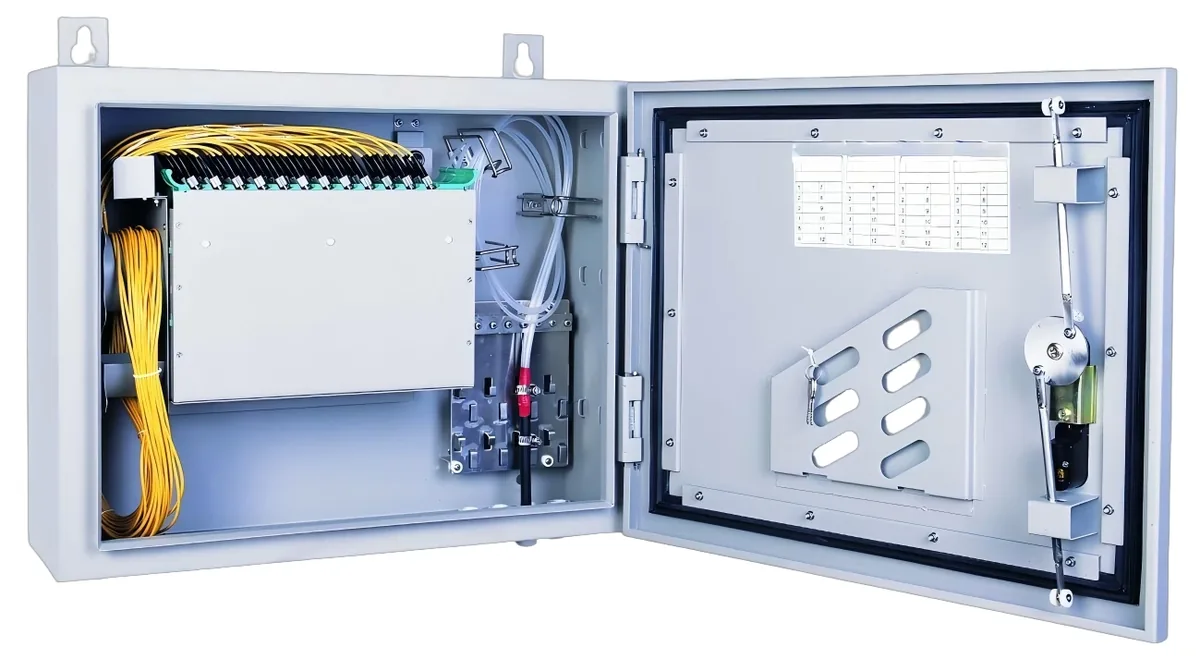
PON access · ODN
Fiber Optic Splitter (PLC)
1×2 to 1×64, SC/UPC or SC/APC.
Planar lightwave circuit splitters from 1×2 to 1×64 for PON ODN construction. Typical insertion loss runs from 3.6 dB at 1×2 to 20.5 dB at 1×64; each batch ships with test data and the connector polish you specify.
- Ratios
- 1×2 – 1×64
- Wavelength
- 1260 – 1650 nm
- Insertion loss
- 3.6 – 20.5 dB
- Connector
- SC/UPC / SC/APC
Best for FTTH Access Network · Campus Fibre Network · CCTV & Surveillance Power
View specifications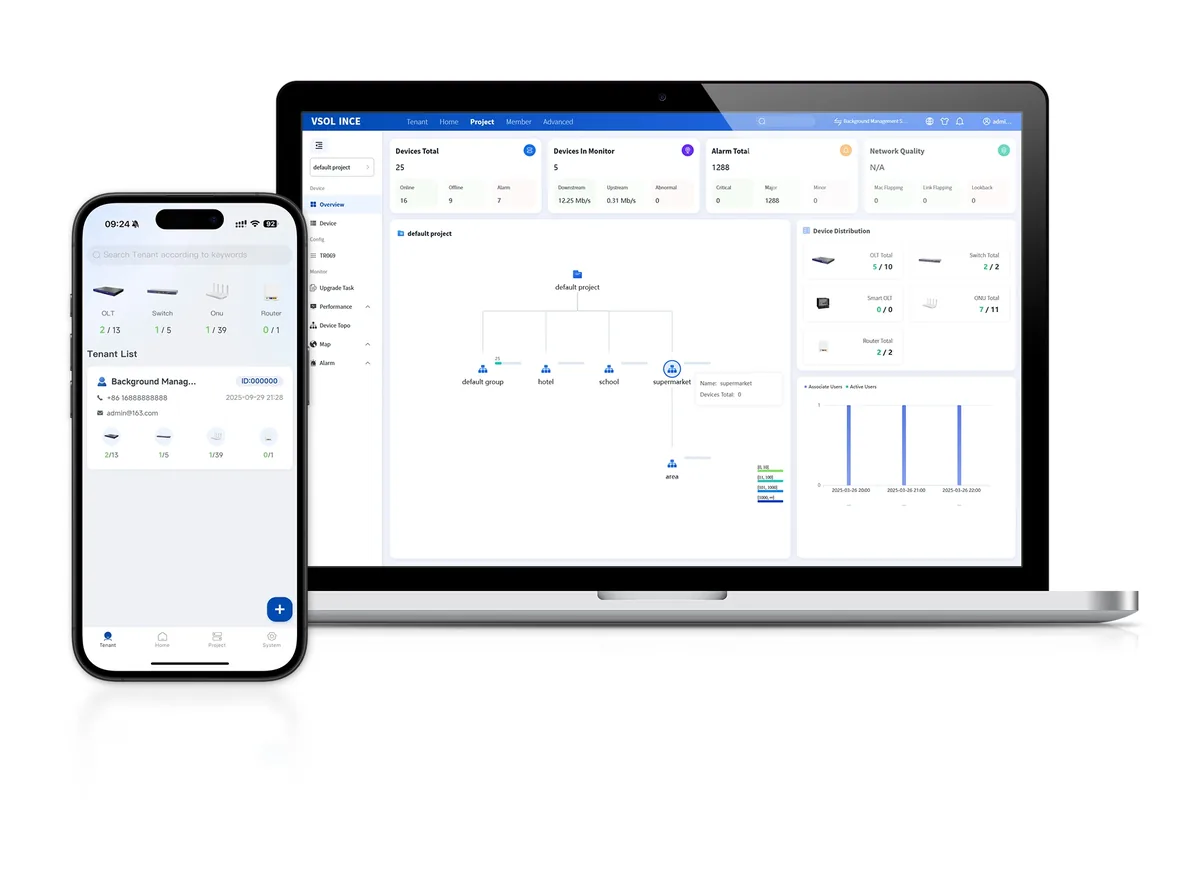
Software · management
Network Management & Cloud Platform
One view of OLT, ONU, AP and PoE.
Management options for PON and PoE networks: OLT-based OMCI/OAM, SNMP/CLI, TR-069 ACS and a cloud platform for topology, provisioning, alarms and remote maintenance across multiple sites.
- PON management
- OMCI / OAM
- Switching
- SNMP / CLI
- CPE
- TR-069 ACS
- Cloud
- Topology / alarms
Best for FTTH Access Network · Campus Fibre Network · Industrial & Tunnel Network
View specificationsApplication FAQ
Classroom All-Optical: site questions.
If your question is not here, send the site details and we will answer with the calculation, not a brochure.
Ask an engineerOne ONT per classroom or one AP per floor?
It depends on the wall construction and the device count. A concrete classroom often needs one AP inside the room; an open-plan or corridor layout may be covered by fewer APs. Run a coverage check before fixing the AP count.
Can the classroom keep a local switch?
Yes, but the switch needs mains, a UPS point and a cabinet. A PON ONT/AP removes that local powered box and gives one fibre drop per room. Use a local PoE switch only where the copper device count or the load justifies it.
Is PoF safe for a classroom ceiling?
The fibre is dielectric, but the hybrid cable contains a 48 V copper pair. Protect the power pair at the entry, bond the housing, and follow the local electrical code. Do not treat the cable as a purely dielectric line.
How do we separate student and staff traffic?
Use separate VLANs and SSIDs, ACLs between VLANs, and client isolation on the student network. The OLT/AC profile enforces the policy; the quotation should state the VLAN and SSID plan.
Can the same ODN serve CCTV and classrooms?
Yes, with separate VLANs and bandwidth planning. CCTV is usually upstream-heavy; keep it on its own VLAN and reserve bandwidth in the DBA/QoS profile. Do not let video traffic starve classroom applications.
How much bandwidth should I plan per classroom?
For 30–60 concurrent devices running video, collaboration tools and cloud applications, plan 100–200 Mbps of Wi-Fi capacity per classroom and keep the upstream contention ratio visible. The exact figure depends on the applications and the AP class; measure it on a pilot floor before the full rollout.
Next step
Planning Classroom All-Optical?
Send the device list, the longest run, the mains condition and the country. We return the path, the BOM and the budget assumptions.
No obligation. The plan states its assumptions so your engineer can check it.